
Maintaining a clean software architecture is hard. As a project grows, boundaries blur, layers leak, and technical debt accumulates silently. While built-in tools like SonarQube help with static code analysis, they often fail to enforce the specific, custom business rules of your domain.
Enter ArchUnit. It is a free, extensible Java library that allows you to write architecture tests as code. While most developers know how to use it for basic layer checks (e.g., stopping the Web layer from accessing the Data layer), the real power of ArchUnit lies in writing custom rules and conditions tailored exactly to your Spring Boot application.
In this guide, we will explore advanced ArchUnit strategies. You will learn how to enforce custom annotations, prevent data transfer object (DTO) leakage, and write custom ArchCondition implementations to ban legacy APIs.
Why Built-in ArchUnit Rules Are Not Enough
The standard layeredArchitecture() rule is great for simple applications. However, modern Spring Boot 4 applications often employ complex patterns like Hexagonal Architecture, Domain-Driven Design (DDD), or CQRS. These patterns require strict enforcement of rules that the default ArchUnit API cannot predict.
For example, you might want to ensure that:
- Classes annotated with a custom
@UseCaseannotation never return HTTP-specific classes likeResponseEntity. - Repositories are strictly accessed only by specific Service classes.
- Modern Java APIs (like
java.time.LocalDateTime) are used exclusively, completely banning legacy classes likejava.util.Date.
Enforcing Layer Isolation: Blocking DTO Leakage
One of the most common architectural mistakes is leaking Web-layer DTOs (Data Transfer Objects) into the core Domain layer. This tightly couples your business logic to your REST API contract.
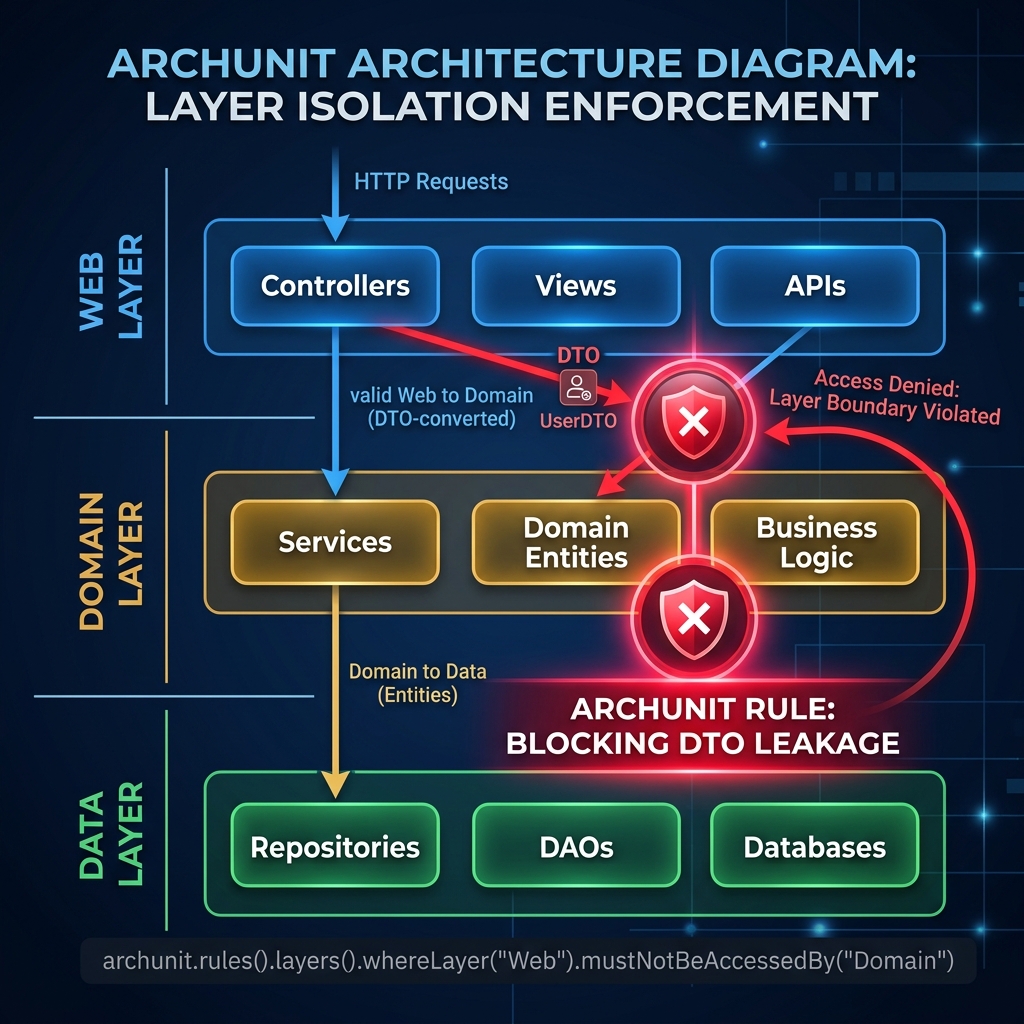
Let’s write a custom ArchUnit rule to explicitly ban this behavior. We want to guarantee that no class in the domain package depends on any class in the web package.
import static com.tngtech.archunit.lang.syntax.ArchRuleDefinition.noClasses;

@Test
void dtosShouldNotLeakToDomainLayer() {
    noClasses()
            .that().resideInAPackage("..domain..")
            .should().dependOnClassesThat().resideInAPackage("..web..")
            .check(importedClasses);
}
If a developer accidentally imports a CustomerCreationRequest inside a domain entity, this test will fail the build immediately, preserving your architecture.
Protecting Custom Annotations
In Domain-Driven Design, it is common to create custom stereotypic annotations to clarify intent, such as @UseCase instead of the generic Spring @Service. However, an annotation is useless if developers misuse it.

We can configure ArchUnit to enforce strict rules around our custom @UseCase annotation. Specifically, a Use Case represents core business logic and should never depend on the Web layer (Controllers, HTTP responses, etc.).
import static com.tngtech.archunit.lang.syntax.ArchRuleDefinition.classes;

@Test
void useCasesShouldNotDependOnWebLayer() {
    classes()
            .that().areAnnotatedWith(UseCase.class)
            .should().onlyDependOnClassesThat().resideOutsideOfPackage("..web..")
            .because("Use Cases must remain agnostic of the delivery mechanism (Web).")
            .check(importedClasses);
}
This rule guarantees that if you ever migrate from a REST API to GraphQL or Kafka, your Use Cases will remain completely isolated and reusable.
Writing a Custom ArchCondition: Banning Legacy APIs
Sometimes, the fluent API provided by ArchRuleDefinition is not expressive enough. For highly specific scenarios, you can write a custom ArchCondition. This gives you full control over the inspection process.
A classic example is technical debt prevention. Imagine you are upgrading to Java 25 and Spring Boot 4, but your team keeps accidentally using the legacy, thread-unsafe java.util.Date instead of the modern java.time API.
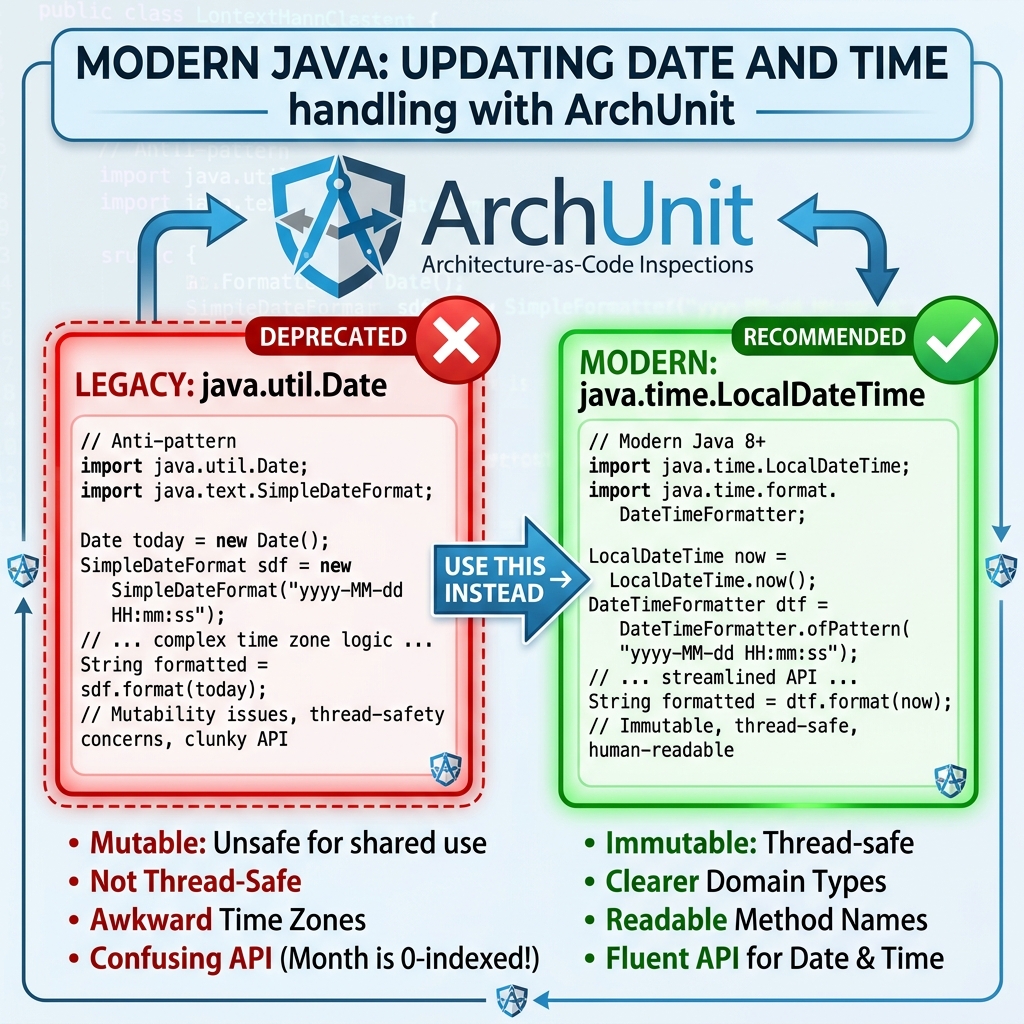
We can build a custom ArchCondition to scan every single dependency of every class and flag any usage of java.util.Date.
import com.tngtech.archunit.core.domain.JavaClass;
import com.tngtech.archunit.lang.ArchCondition;
import com.tngtech.archunit.lang.ConditionEvents;
import com.tngtech.archunit.lang.SimpleConditionEvent;
import com.tngtech.archunit.lang.syntax.ArchRuleDefinition;
import java.util.Date;

@Test
void enforceJavaTimeOverJavaUtilDate() {
    ArchCondition<JavaClass> notUseJavaUtilDate =
            new ArchCondition<>("not use java.util.Date") {
        @Override
        public void check(JavaClass item, ConditionEvents events) {
            boolean usesDate = item.getDirectDependenciesFromSelf().stream()
                    .anyMatch(dependency -> dependency.getTargetClass().isEquivalentTo(Date.class));

            if (usesDate) {
                events.add(SimpleConditionEvent.violated(item,
                    "Class " + item.getName() + " illegally uses java.util.Date"));
            }
        }
    };

    ArchRuleDefinition.classes()
            .should(notUseJavaUtilDate)
            .because("Modern Java applications must use the java.time API (e.g., LocalDateTime).")
            .check(importedClasses);
}
This is a powerful technique. You can use custom conditions to enforce naming conventions, check specific field modifiers, or even validate that specific methods are called in a specific order.
Automated Governance in CI/CD
Writing rules is only the first step. To truly govern your architecture, ArchUnit tests must be integrated into your Continuous Integration (CI/CD) pipeline.

Because ArchUnit runs as standard JUnit 5 tests, tools like GitHub Actions, Jenkins, and GitLab CI will automatically execute them during the mvn verify phase. If a developer breaks an architectural rule, the build fails, and the Pull Request is blocked.
If you are working with an existing, messy monolithic application, you can use ArchUnit’s FreezingArchRule. This allows you to “freeze” the current violations, ensuring no new violations are added while your team slowly refactors the old code.
For more details on enforcing specific patterns, read our guide on Enforcing Hexagonal Architecture with ArchUnit or see how Spring Modulith uses ArchUnit under the hood.
Best Practices for ArchUnit Rules
- Write Clear “Because” Clauses: Always append
.because("reason")to your rules. When a build fails on a Friday afternoon, developers need to know exactly why the rule exists. - Keep Rules Modular: Do not write one massive test method. Split your rules logically (e.g.,
SecurityRulesTest,LayerRulesTest,NamingConventionsTest). - Cache Imported Classes: Importing classes via
ClassFileImporteris computationally expensive. Import them once as a static final field and reuse them across all tests to speed up your build.
Conclusion
ArchUnit transforms software architecture from passive documentation on a wiki page into living, executable code. By writing custom rules and conditions, you can enforce the unique business constraints of your Spring Boot 4 application automatically.
Whether you are preventing DTO leakage, protecting custom annotations, or banning legacy APIs, ArchUnit is an essential tool for modern Java teams.
Companion Code
The complete, runnable source code for this article is available in our public GitHub repository. You can explore the project, run the tests, and see the ArchUnit rules in action here:
Workshop Companion Code: Master ArchUnit Custom Rules